BlogComparisons
Enrich vs Clay: Which Data Enrichment Platform to Choose

By Rahul LakhaneyPublished on: Mar 29, 2026 · Updated: Mar 30, 2026 · 11 min read · Last reviewed: Mar 2026
On this page
TL;DR
Clay uses 150+ data providers with waterfall enrichment in a spreadsheet UI. Enrich is an API-first platform with built-in waterfall ICP search starting at $49/mo. We compare features, pricing, and real costs.
Feature matrix across all tools reviewed
| Feature | Enrich | Clay |
|---|---|---|
| Waterfall Enrichment | ||
| Email Finder | 10 credits | 3-10+ credits |
| Email Validation | 1 credit | 1+ credits |
| Phone Finder | 500 credits | Varies by provider |
| Reverse Lookup | ||
| Built-in Contact Database | 300M+ contacts | Via providers |
| ICP Scoring | 0 to 100 | Manual setup |
| REST API | ||
| MCP / AI Agents | ||
| CRM Integrations | Salesforce, HubSpot | Salesforce, HubSpot |
| Per-seat fees | ||
| Data provider costs included |
Monthly cost by lookup volume
| Volume | Clay | Enrich |
|---|---|---|
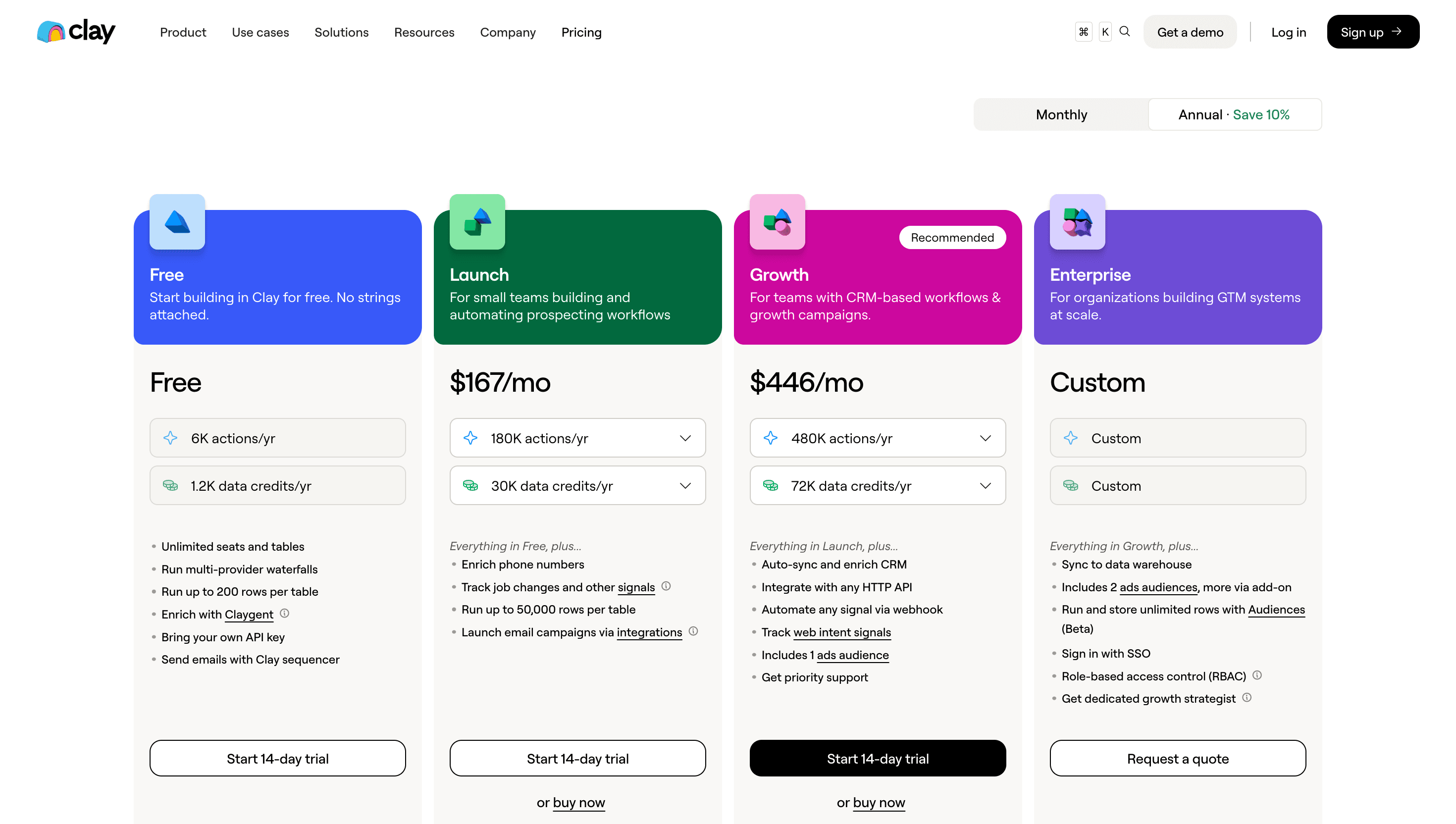
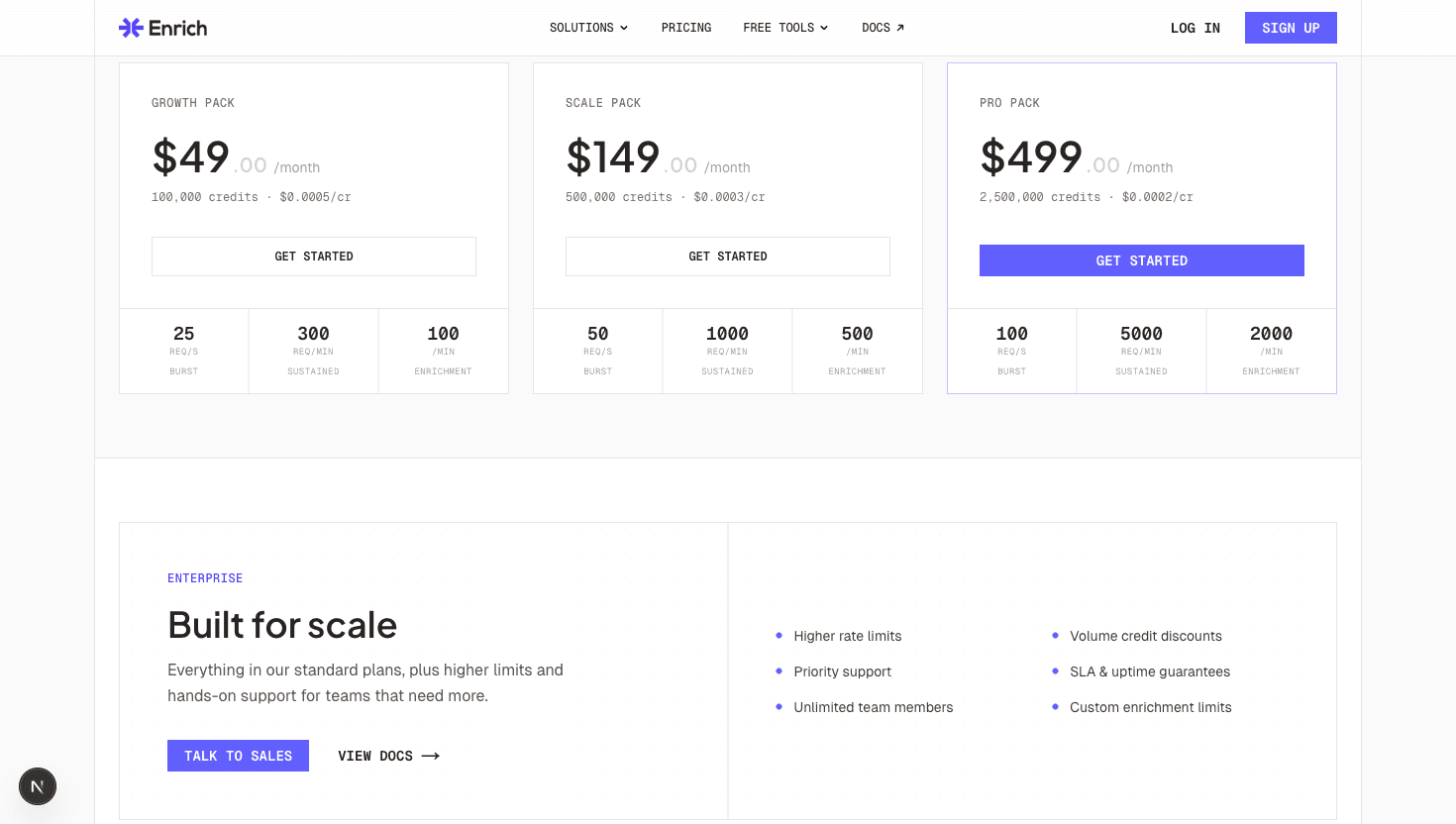
| Starter / Growth | $185/mo (2K credits) | $49/mo (100K credits) |
| Mid-tier | $495/mo (Growth, 10K credits) | $149/mo (500K credits) |
| High volume | $720/mo (Business, 25K credits) | $499/mo (2.5M credits) |
| Annual cost (mid-tier) | $5,940/yr + provider fees | $1,788/yr (all-inclusive) |
Enrich and Clay both solve the data enrichment problem, but they take very different approaches. Clay holds a 4.6/5 rating on G2 based on 200+ reviews, with users praising its flexibility but frequently noting the complexity of managing multiple provider costs. As one G2 reviewer put it: 'Clay is powerful, but the total cost is hard to predict because you are paying for Clay credits plus separate data provider subscriptions.' Enrich is an API-first enrichment platform with a built-in 300M+ contact database, waterfall ICP search, and credit-based pricing that includes all data costs.
The core difference: Clay is an orchestration layer that sits on top of other data providers. You still pay for the underlying data separately. Enrich is a single-source enrichment API where everything is included in your plan.
This matters because Clay's real cost is not just the platform fee. When you run a waterfall enrichment in Clay, each step in the waterfall consumes credits, and some providers charge their own fees on top of Clay's credit cost. With Enrich, you pay one price and get all the data.
Both platforms offer waterfall enrichment, but the economics are very different.
Clay's waterfall model: Clay connects to providers like Apollo, Hunter, Clearbit, Lusha, and others. A typical waterfall email lookup might query 3 to 5 providers sequentially until a match is found. Each provider query costs 1 to 3+ Clay credits. A single waterfall lookup can consume 3 to 10+ credits depending on how many providers are queried before a match. If you exhaust all providers without a match, you still pay for every attempt.
Enrich's waterfall model: Enrich's Waterfall ICP Search runs multi-source cascading lookups internally with 1 to 10 cascade levels. The cost is 1 credit per record regardless of how many internal sources are queried. ICP scoring from 0 to 100 is included, calculated based on title match, job level, skills, and location.
Let's do the math on 10,000 waterfall lookups per month:
The difference grows at scale. Clay's multi-provider waterfall model is powerful for flexibility, but expensive per lookup. Enrich's single-source waterfall is optimized for cost efficiency.
Where Clay wins:
Where Enrich wins:
Clay pricing:
Clay credits cover the platform usage, but many data providers charge additional fees. For example, running a Clearbit enrichment through Clay costs Clay credits plus a Clearbit subscription. Some providers are included in Clay's pricing (like basic web scraping), but premium data sources often require separate accounts and billing.
Enrich pricing:
Enrich credits are all-inclusive. Email Finder costs 10 credits, Email Validation costs 1 credit, Reverse Lookup costs 10 credits, Phone Finder costs 500 credits, People Search costs 1 credit per person, Waterfall ICP Search costs 1 credit per record, and Company Follower costs 25 credits per profile. No additional provider fees. No per-seat charges.
Annual cost comparison (mid-tier):
For teams that primarily need the enrichment data rather than Clay's workflow automation, Enrich delivers significantly more value per dollar.
The hybrid approach: Some teams use both. Clay for complex workflow automation and niche provider access. Enrich for high-volume enrichment where cost per lookup matters. Feed Enrich data into Clay tables for further processing, or use Enrich as your primary data layer and only use Clay when you need a provider that Enrich does not cover.
For most B2B teams that need reliable, affordable data enrichment, Enrich is the better starting point. Start with the 100 free credits to test data quality, then scale with the Growth Pack at $49/mo.
Enrich is better for cost-efficient waterfall enrichment at scale, charging 1 credit per record with built-in ICP scoring from 0 to 100. Clay is better for maximum data provider flexibility, connecting to 150+ sources but charging 3 to 10+ credits per waterfall lookup plus potential separate provider fees. Most teams save 70%+ by choosing Enrich for high-volume waterfall enrichment.
Yes, in many cases. Clay's platform fee covers basic integrations, but premium data providers like Clearbit, Apollo, and others may require separate subscriptions or per-lookup fees on top of Clay credits. Enrich pricing is all-inclusive with no separate provider costs.
Yes. Some teams use Enrich as their primary data enrichment API for high-volume lookups (waterfall ICP, email finding, reverse lookup) and Clay for complex multi-step workflows that require niche data providers. You can import Enrich data into Clay tables via CSV or API.
Enrich is designed API-first with official TypeScript and Go SDKs, response times under 200ms, webhook support, and full documentation at doc.enrich.so. Clay has an API but it is secondary to the spreadsheet UI. For programmatic integration, Enrich is the stronger choice.
100 free API credits. No credit card required. Start enriching data in minutes.